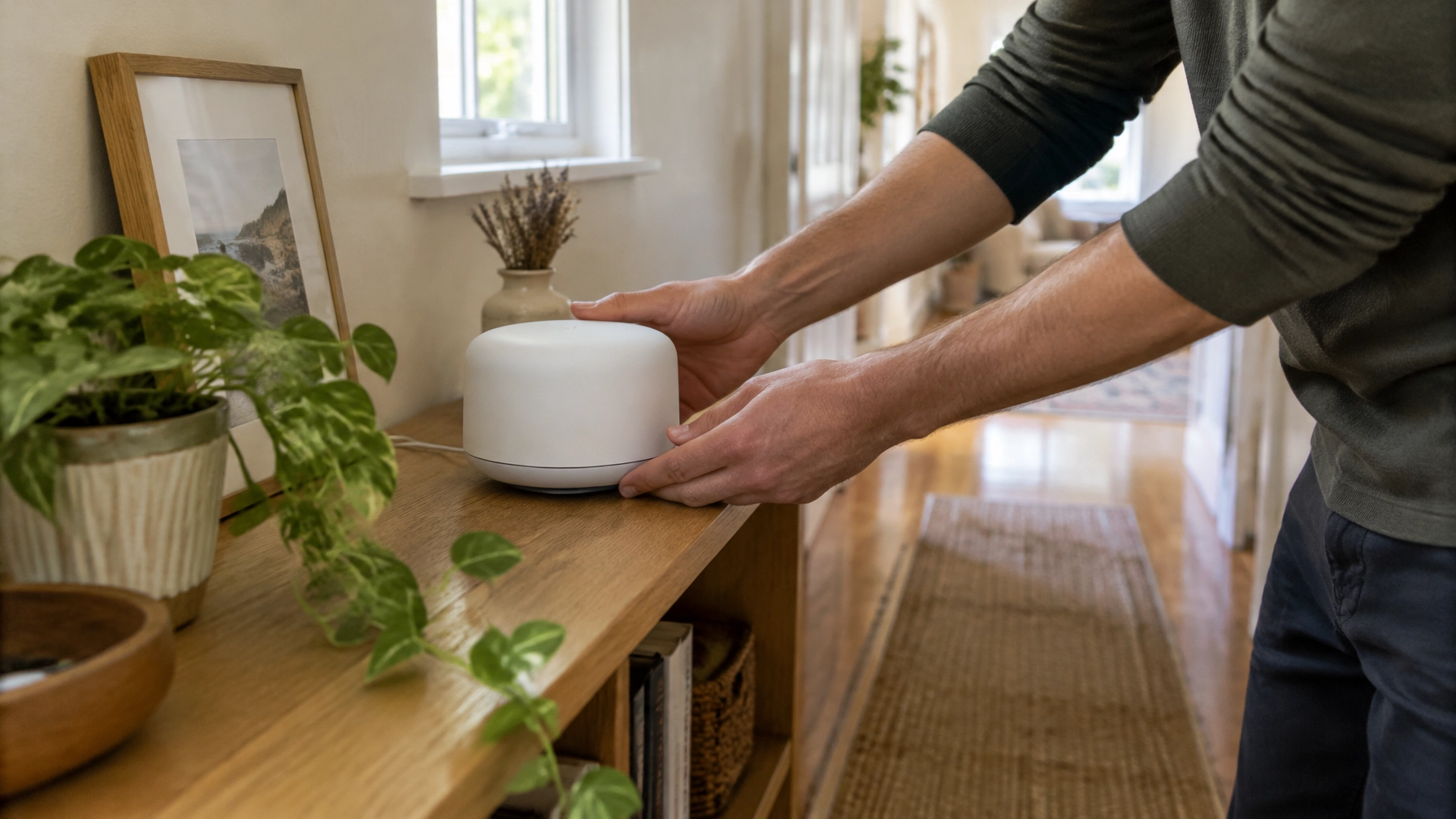
“My Wi-Fi works in the lounge, but it keeps dropping out in the back room.” If that sounds familiar, you might be weighing up a Wi-Fi booster, an extender or a mesh system.
The names can be confusing. “Wi-Fi booster” is a loose marketing term, usually used for a Wi-Fi extender. Both can help in the right situation, but neither is a fix for every home. Here’s how to choose the option that suits your layout, budget and day-to-day use.
What does a Wi-Fi booster actually do?
A wifi booster usually means a Wi-Fi extender: a device that receives your router’s wireless signal and sends it on again from another location. It can help a signal reach a nearby room, but it needs a usable connection to the router to do that.
That’s the key limitation. An extender repeats the signal it receives; it doesn’t create a strong connection from scratch. If you plug it into a room where the Wi-Fi is already very weak, the extended signal may be weak too.
Placement matters. Try positioning an extender partway between your router and the problem area, where the router’s Wi-Fi still works reasonably well. For a fuller explanation of how extenders work and what to check before buying one, read our guide: Do Wi-Fi Extenders Actually Work? What to Know Before You Buy One.

An extender is often the simplest and least expensive option for one nearby room with a coverage gap. It may be enough for light browsing or connecting a smart device. It’s less likely to be a satisfying answer if several rooms need coverage or you rely on a steady connection for work calls.
How does a mesh Wi-Fi system work?
A mesh Wi-Fi system uses a main unit and one or more additional units, often called nodes. They’re designed to work together as one network, spreading coverage through different parts of your home.
Unlike a basic extender, a mesh system coordinates its units and devices as you move around. You generally use the same network name, rather than having to switch between separate network names for different parts of the house.
Mesh still depends on a good connection between its units. If a node is placed too far from the main unit, it may struggle to pass on a strong signal. Put it somewhere that can still receive a reliable connection, not right at the edge of the dead zone.

Wi-Fi extender vs mesh: which suits your home?
The right choice depends on how many areas have poor coverage, how your home is built and what you need the Wi-Fi to do.
| Option | How it works | Best for | Rough hardware cost expectation | Main catch |
|---|---|---|---|---|
| Wi-Fi extender | Repeats the router’s wireless signal from another spot | One nearby room with a modest coverage gap | Expect to pay around $35–$130 for a basic unit | It needs a usable signal from the router and may not give seamless coverage as you move around |
| Mesh Wi-Fi system | Multiple coordinated units provide coverage across the home | Several weak rooms, larger homes or multiple floors | Expect to pay around $100–$500 for many DIY kits; some cost more | Costs more than a basic extender and each node still needs a good connection |
| Wired access point | Uses an Ethernet cable from the router to provide Wi-Fi in another area | A home office, small office or hard-to-reach room where reliability matters | Expect to pay around $125–$300 per access point for hardware | Usually needs an Ethernet cable run and setup |
These are broad hardware estimates, not quotes. Prices vary, and cabling, extra equipment and installation can add to the cost.
When is a Wi-Fi extender a good choice?
Choose an extender if the problem is limited to one room or one small area, the room is reasonably close to the router, and you’re looking for a budget-friendly improvement.
Before buying, check that you can place it where the router’s signal is still decent. If the extender can’t receive a reliable connection there, it’s unlikely to fix the problem area.
When is mesh a better choice?
A mesh system is often a better fit when you have several Wi-Fi dead zones or need coverage across a larger or multi-storey home. It can also suit homes where people move between rooms and want the devices to stay on one network.
In Melbourne, building layout can make a big difference. Double-brick walls can weaken Wi-Fi between rooms, while long homes may leave the back rooms far from a router at the front. In these cases, a single extender may not cover enough ground. Mesh can help spread coverage, but its nodes still need to be positioned so they can connect well to one another.
Could a wired access point be the better option?
If you can run an Ethernet cable to the area with poor Wi-Fi, a wired access point may be a better choice than either a wireless extender or a mesh system. The cable carries the connection from the router, so the access point doesn’t have to rely on a wireless signal to reach it.
This can be useful for a home office where video calls need to stay steady, or a small office where several staff are online at once. It may also be a good option for a difficult layout, particularly if there’s already network cabling in place.
What should you check before buying anything?
New hardware can help, but first check whether a simple change, or a different underlying issue, is responsible for the problem.
- Move the router into the open. A router tucked in a cupboard, behind a TV or on the floor may not cover the home well. If practical, try a more central, elevated spot.
- Check which areas are affected. If Wi-Fi is weak in one room but fine elsewhere, that points to a coverage problem. If it’s slow or dropping out everywhere, an extender may not address the cause.
- Try another device. If only one phone or computer has trouble, the issue may be with that device rather than the home network.
- Restart the router. This may clear a temporary glitch. If the problem returns regularly, it’s worth investigating further.
- Consider the router’s age and condition. Older or failing equipment can affect the whole network. Adding another device may complicate things rather than solve the underlying fault.

If your Wi-Fi keeps dropping out across the property, or you’re not sure whether the problem is coverage, the router or the internet connection, it’s worth checking the basics before spending money on a booster or mesh kit. A hardware purchase won’t fix a router that’s in a poor position or no longer working properly.
What’s the best Wi-Fi for home or a small office?
There isn’t one answer for every property. Use this as a starting point:
- One nearby room with weak signal: try a Wi-Fi extender, placed where it can still receive a decent connection from the router.
- Several rooms or floors with weak coverage: consider a mesh Wi-Fi system, with each unit positioned to maintain a good link to the next.
- A home office or several staff needing reliable Wi-Fi: if a cable can reach the area, consider a wired access point.
- Wi-Fi not working properly anywhere: check the router and internet connection before buying extra coverage hardware.
The best Wi-Fi for home is the setup that matches the problem. A low-cost extender can make sense for one localised gap. Mesh may suit a home with several weak areas. And when a cable is practical, a wired access point can be a strong choice for a room where reliability matters.
When should you call a technician?
If you’ve tried moving the router and still have dead zones, or your property has double-brick walls, multiple levels or a long layout, someone can help assess where the signal is struggling and what kind of setup is practical. The same applies to a small office where dropped calls or unreliable Wi-Fi are interrupting the day.
Mr IT is based in South Melbourne and has helped more than 1,557 Australians since 2009. We visit homes and small offices across Melbourne, help remotely with suitable software issues, and install access points and set up networks where needed. Find out more about our Wi-Fi and network support. If you also need help with a slow or faulty computer, see our computer repairs in Melbourne.
Our rate is $187 per hour, including GST, with no call-out fee. Within the first hour, we explain the problem and quote any further work. Nothing extra proceeds without your approval.
Visit mrit.tech to book computer repairs or tech support anywhere across Melbourne for your home or small office.